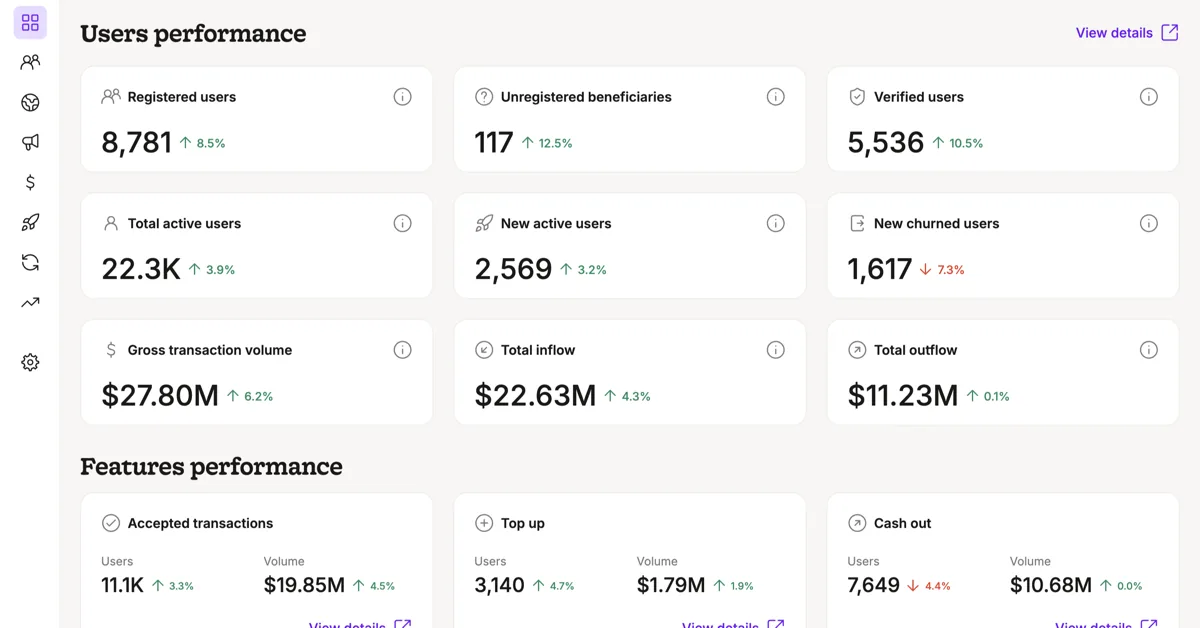
Purpl Analytics Dashboard
- Role
-
- Product
- Design
- Build
- Timeline
-
- Jan 2026 to now
- Users
-
- Product
- Marketing
- Operations
- Management
- Built with
-
- Figma
- React
- TypeScript
- Ant Design
- Claude Code
A sheet that outgrew itself
Our COO was doing all his analysis in Excel, using a CSV file exported from our database by our head of operations. He did an amazing job with it, but an Excel sheet couldn’t include every metric we needed, so it had many limitations. It also grew with the business, and you can’t keep four years of company history in Excel alone, so it became very slow.
And whenever we compared some metrics with CleverTap (our event tracking tool back then), there were always some small differences. We were never sure if the Excel sheet was right, or CleverTap, or if the calculation itself had an issue. It was a huge mess, to be honest.
We had tried asking the tech team to build something similar, but they were always too busy. So the moment I saw an opportunity to automate this analysis and let our COO retire his Excel sheet, I didn’t look back. I took the matter into my own hands, with Claude Code as my engineering partner. I made the product and design decisions, Claude Code wrote the code, and nothing shipped until I verified it myself. I worked on it as a side project, on top of my day-to-day work.
Getting the numbers right
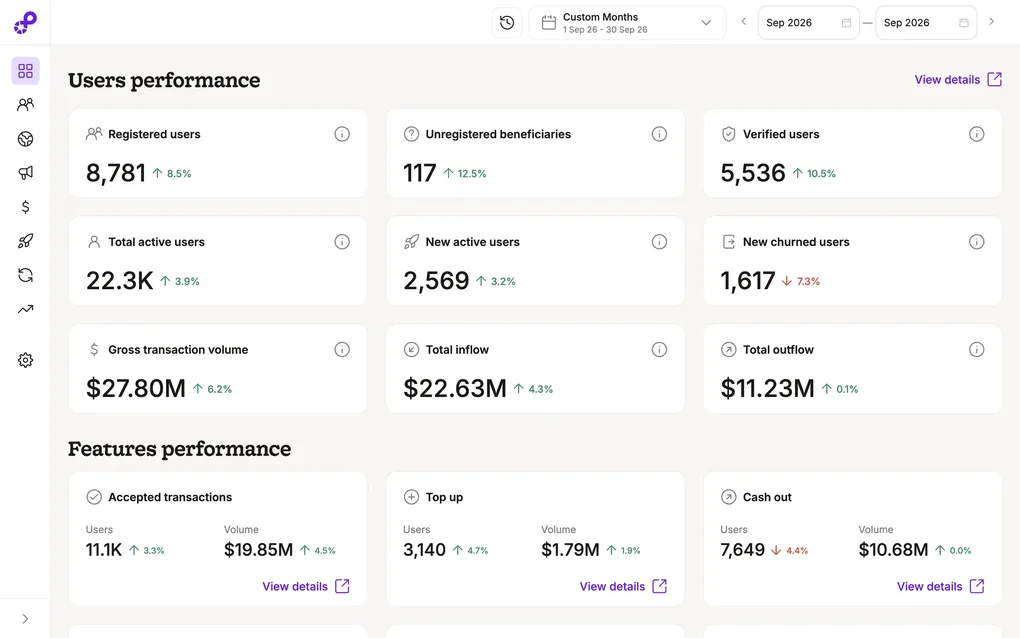
Our COO didn’t retire his Excel sheet right away. At the beginning, we went through several rounds of comparing the dashboard with his sheet, until we perfected the transaction classifier and each type of transaction was defined correctly. He knows the column structure of the exported CSV very well (even though it’s a bit unconventional), so his review is how we made sure the data was accurate.
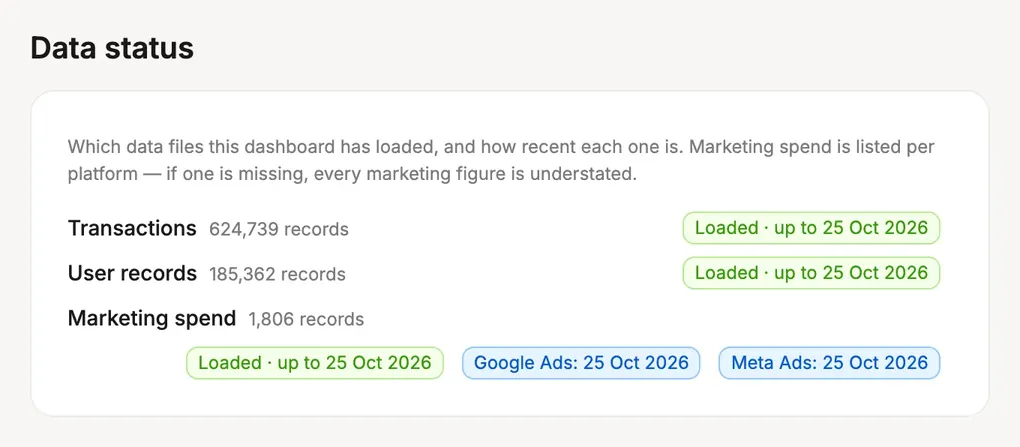
To keep it that way, I added info icons in many parts of the dashboard that explain how each figure is calculated, so anyone on the team can spot an issue and report it to me. And when something does slip, it gets caught: once, our COO noticed the Meta expenses were missing from the marketing numbers, and we fixed it quickly.
A design system to stop the drift
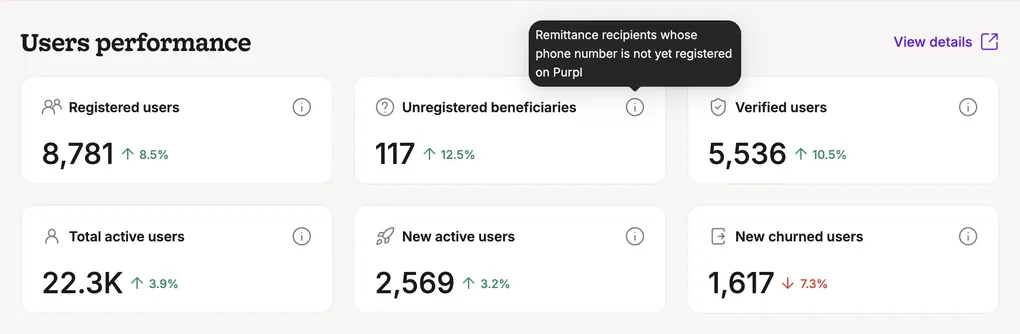
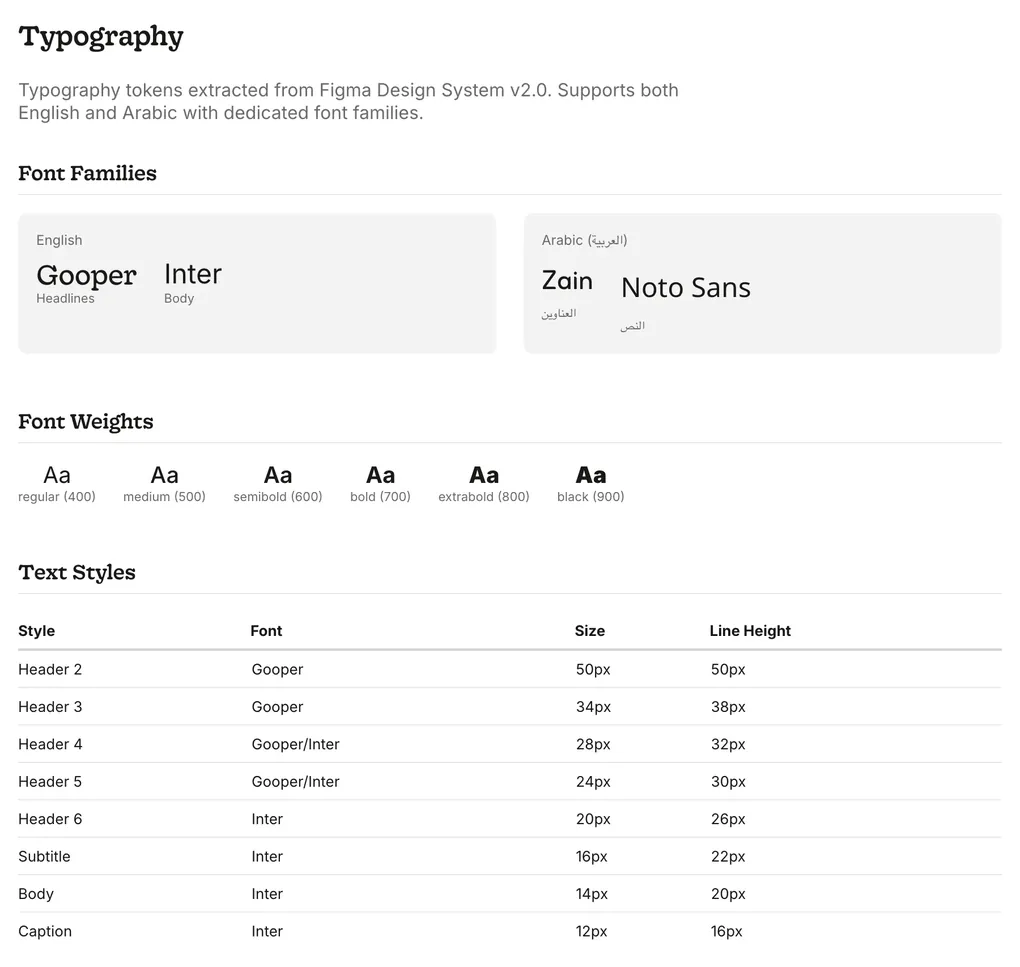
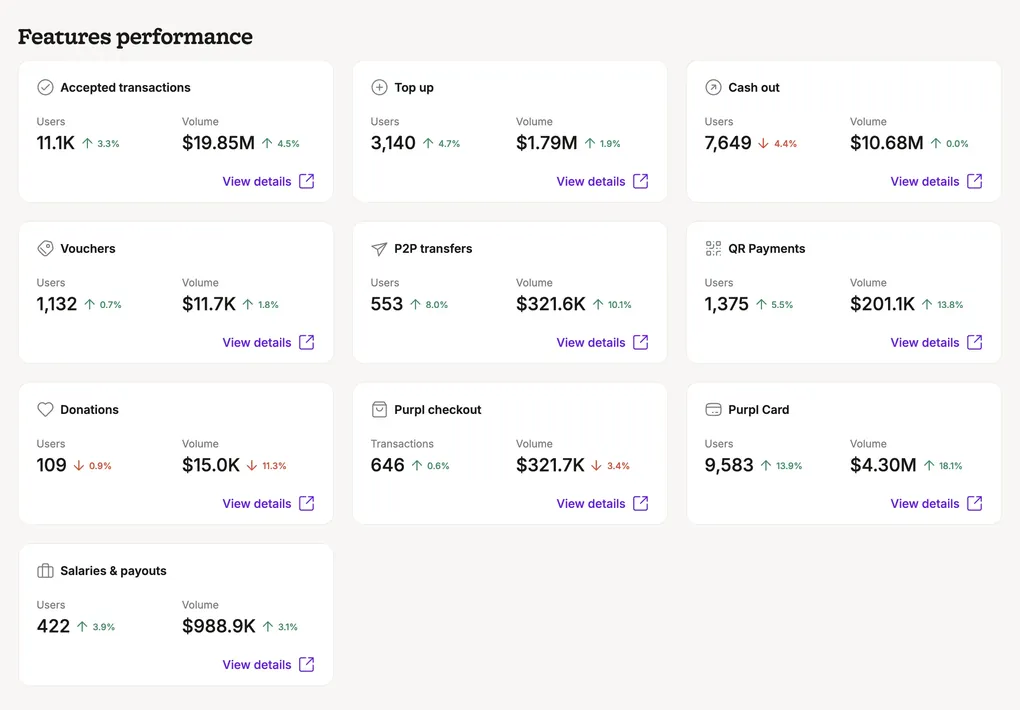
I designed the feature cards (the dashboard’s home page) in Figma first, then built the initial proof of concept with Claude. Some of its design choices in other pages came out inconsistent, since AI models back in January 2026 drifted a lot.
So before going any further, I applied Purpl’s design system, which I had designed in Figma, and turned the reusable parts into components. I put them in their own repo, along with the colors, typography and tokens, documented in Storybook, and built the dashboard interface on top of that library. Anything the design system didn’t have, like charts, comes from Ant Design, since our front-end team already uses it for our internal portal, in case we merge the dashboard into it one day.
From then on, I restricted Claude to the design system and its components, which was a nice way to shield it from drifting.
Time
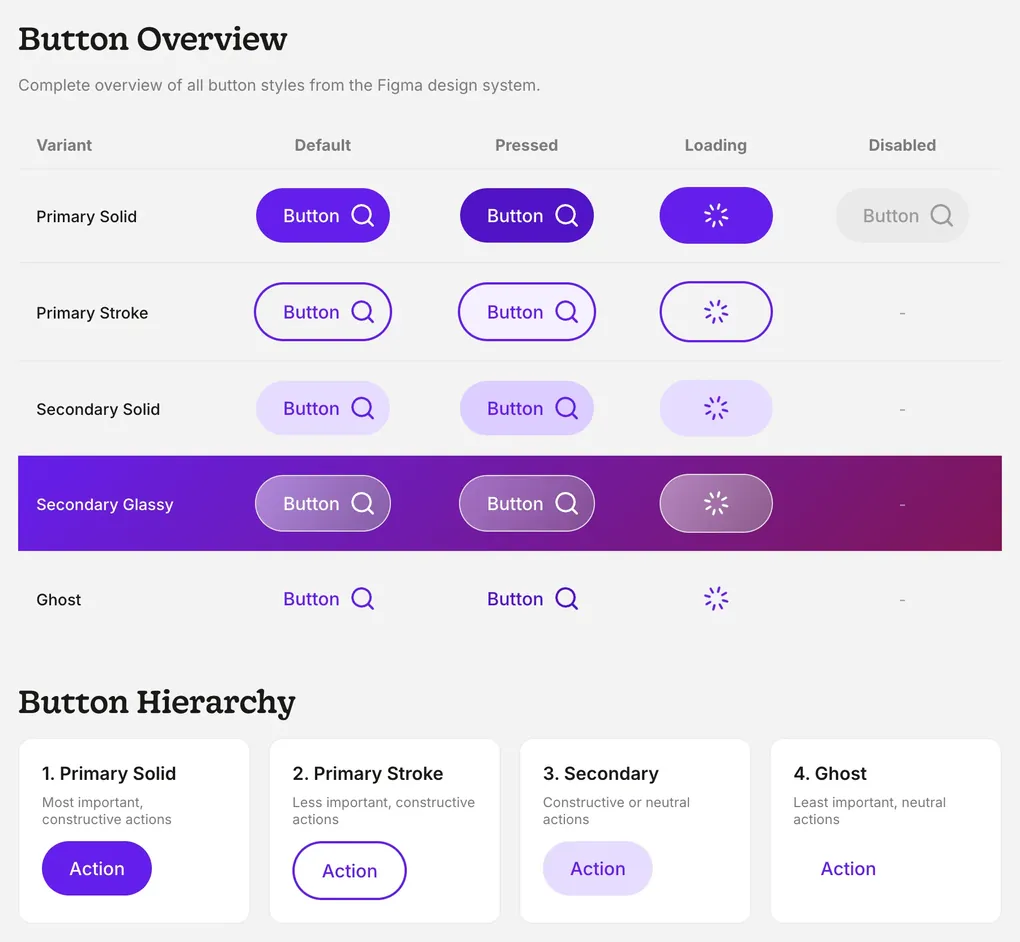
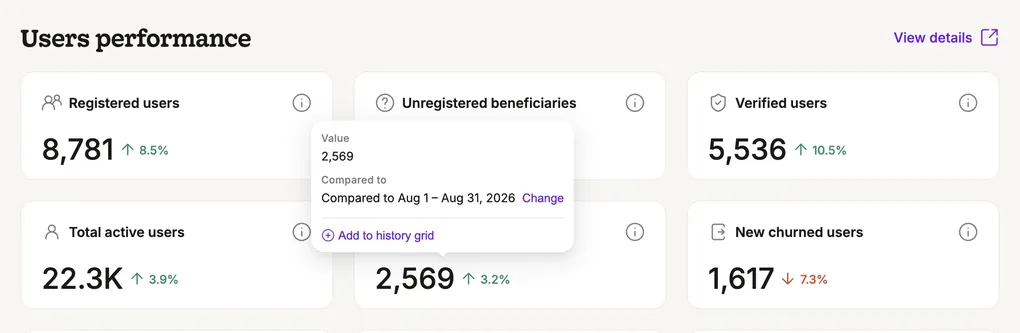
Since any meaningful data is always bounded by time, I wanted the time choice in this dashboard to be deliberate. One date filter controls the whole dashboard and tells the story of what happened in each feature, country or partner. And every number comes with a delta indicator comparing it with the previous date range, so whoever reads it knows right away whether it’s good or bad.
The filter has presets like today, last 7 days and last 30 days, but you can also pick custom days or custom months. Keeping those two apart was deliberate, because of one of my favorite features in this dashboard: the two arrows next to the custom date filter. They move the same selected window forward or backward, so with one click you can see how the numbers change week on week, month on month, or quarter on quarter. Months aren’t equal in days, so a fixed 30-day window would land you on a weird date range after going back five times, while custom months always land on whole calendar months. I must say I really enjoy watching the numbers evolve as I move back and forth.
A couple of months later, I made the comparison itself flexible. Hovering over a delta shows which range it’s compared to, with a button to pick another one, so you can compare Jul 2026 to Jul 2025, or Q1 2026 to Q1 2024. The business dev team was especially happy about this.
How it grew
At the beginning, the dashboard only covered three things: how each app feature is performing (cash out, card top up, etc.), the remittance numbers broken down by country and partner, and the user numbers (active, new active, verified, churned, etc.). That was good enough as a start, but other teams started using it very quickly, so I kept adding sections for them.
Marketing
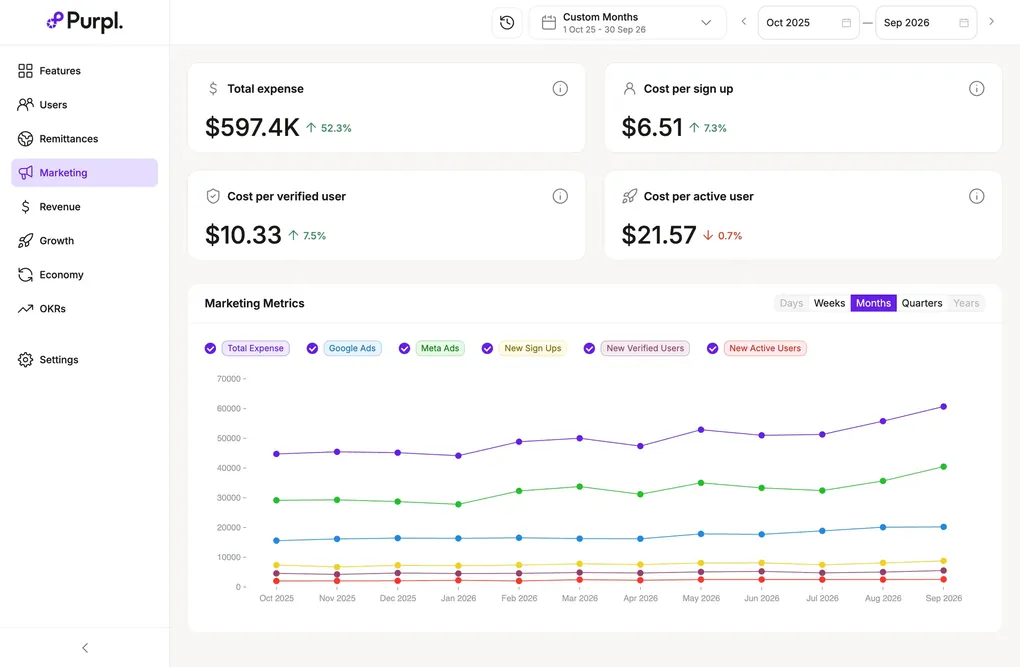
Marketing started using the dashboard a lot for their reporting, to make sure they had the most accurate numbers, so they got a section of their own. I connected the dashboard to Google and Meta through their APIs, with a script that saves the daily spend in a CSV file, and on each launch the dashboard checks whether it has the latest data and pulls anything missing. That means the cost of acquisition updates automatically, right next to the rest of our numbers.
For the costs that don’t live in any ad platform, like offline or influencer campaigns, I added a second CSV file. With both in place, the customer lifetime value (CLTV) over blended CAC (the cost of acquiring a customer, including all costs, not just marketing) gives an accurate picture of the overall health of the business.
Revenue
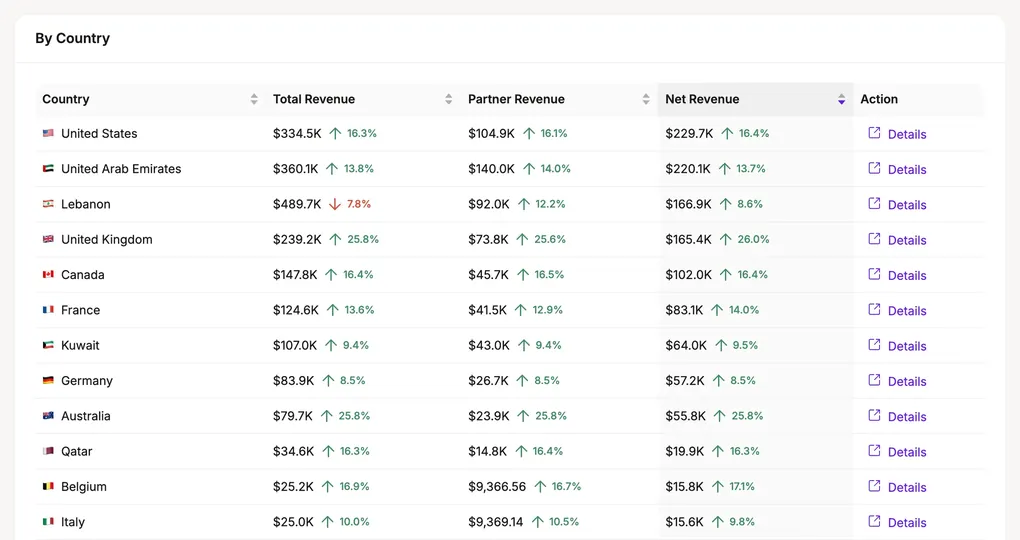
The operations export also had revenue data, and I didn’t want any data point in it to go unused, so revenue got its own section too. It shows the gross revenue, the partners’ share and Purpl’s net revenue, each broken down by partner, feature and remittance country, so the business dev team can see which country performed best and which one needs more focus.
OKRs
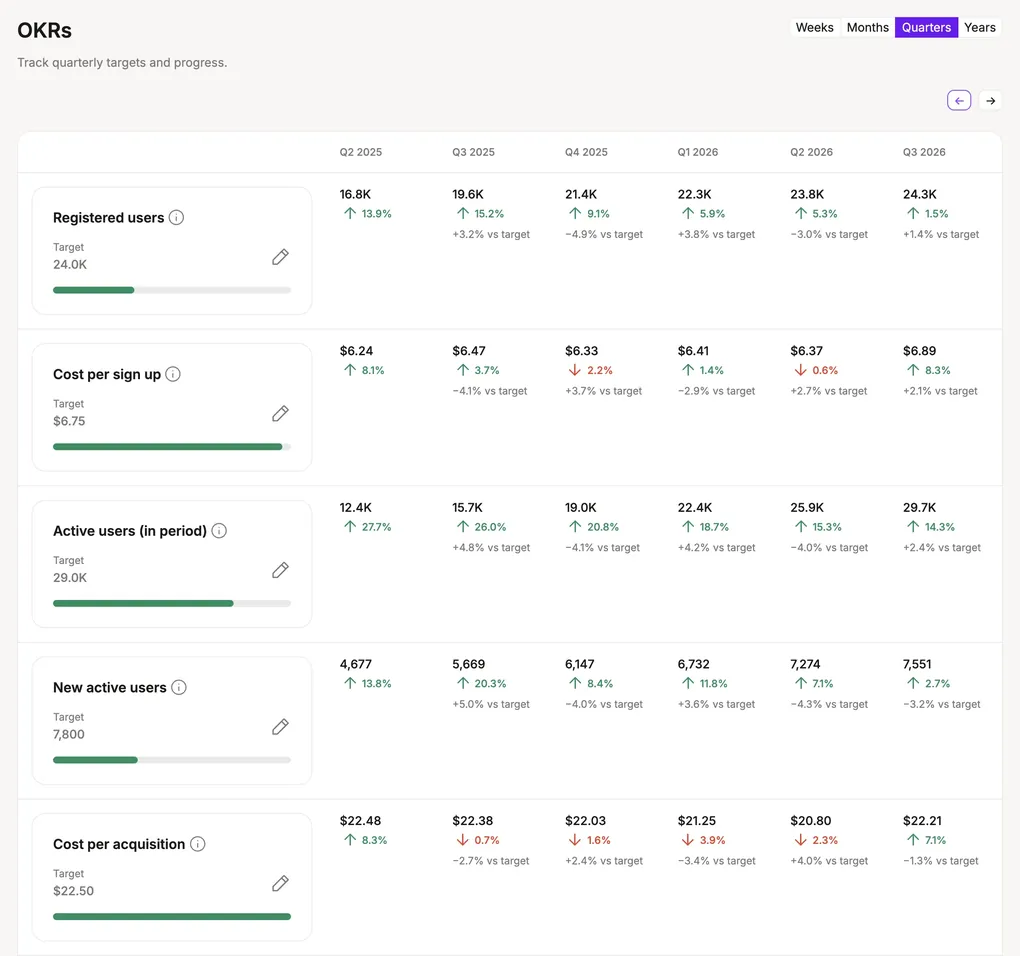
With that much data in one place, it was very easy to move the company’s OKRs into the dashboard as well. Each team has quarterly objectives that feed into the company’s OKRs and our north star metric, and the OKRs section lets us go over all of them quickly in our company-wide end-of-week call. It became a weekly ritual.
For each metric, you set a quarterly target, and a progress bar shows how close we are to it. But not all metrics behave the same way. For some, higher is better. For others, like acquisition cost, lower is better. And some are percentages. So each progress bar is calculated differently, to tell that metric’s story.
There was also a timing problem: the targets are quarterly, but we check the dashboard every week and at the end of each month. So we defined which metrics can be divided by time (like new active users) and which have to stay fixed (like activation rate). That way, the same page tells us how we’re tracking against our targets over a whole quarter or over a single week.
The Purpl economy
One section I added even though it isn’t essential is a Sankey chart of all the money flowing into and out of Purpl. The idea came with launching our cards: I wanted to see how much the cards would eat away from the cash-out arm over time. The same numbers exist in the features breakdown, but I’m a visual person, and I find it striking to move through the months or quarters and watch the inflow and outflow arms change.
Excluding our own team
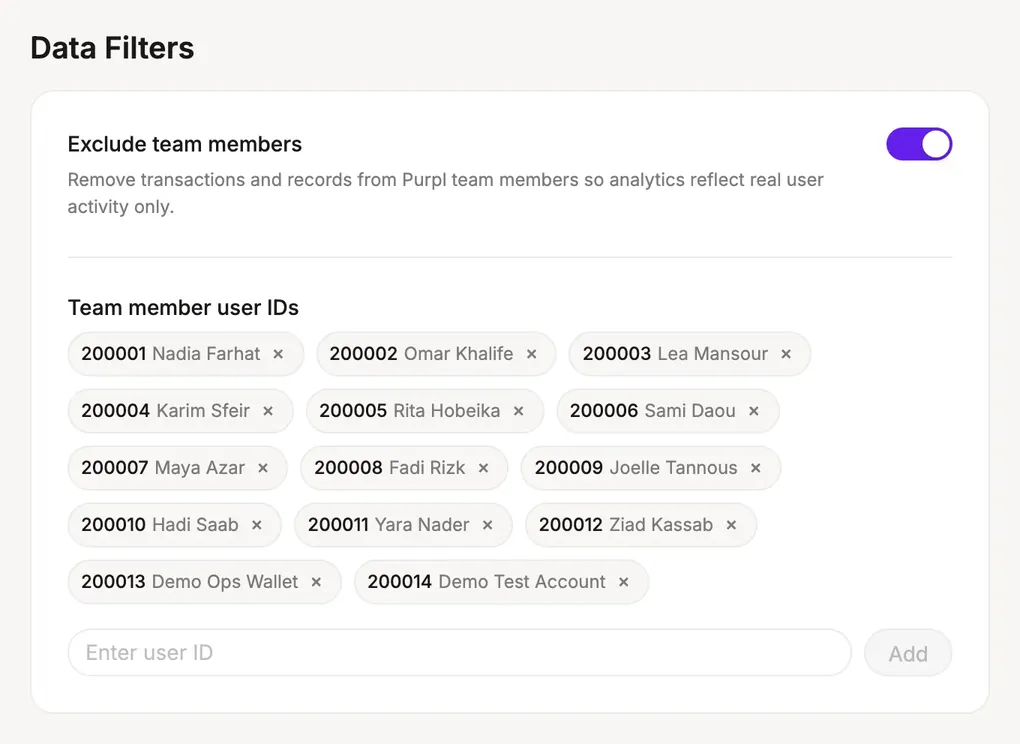
As our team grew, more of us were using the product every day, which created a small data problem of its own. So I added a setting that excludes our team’s transactions, and any internal operational settlements, so we can see how the product really performs with our external users. This matters most at the launch of a new product or update, when internal activity can easily skew the numbers.
Distribution
So far, the tech team hasn’t been involved much in this project, which keeps it light and very easy for me to change. The trade-off is distribution. The dashboard contains real transaction data, so I can’t just put it on a public URL. It needs proper security and authentication.
For now, it’s an offline web app in a restricted internal Google Drive folder, and I ship updates by updating the files in that folder. To make it work on my colleagues’ machines without any hassle, they just double-click a launcher file, which refreshes any data that needs it and starts a small local server that runs the app. Distribution and ease of access are still one of the areas I want to improve in the next phase, ideally by hosting it behind a sign-in, so only approved team members can open it.
What’s next
The next improvement is bringing in the app’s custom events from GA/BigQuery, as another layer next to the transaction data. Then the whole team could see what happens at each step in the app (funnels, drop-offs, etc.) for each feature, right alongside the transactions. That would make the dashboard a holistic data analysis powerhouse, answering every question about the app: what our users do, and how each part of the product is performing, down to the smallest detail.
Closure
Today, our COO’s Excel sheet is retired, and the dashboard has become one of the most used internal tools at Purpl. Product and marketing check it daily to monitor their KPIs, and our end-of-week call starts with its high-level figures and OKRs.
The dashboard also ended up helping me a lot as a designer. Its data model gives Claude all the context it needs to read our data quickly, and we’ve used it to settle many product and design arguments since. Without it, those analyses would have been much harder to run. For example, we were deciding whether a new setting should be on by default or something users opt in to. Both sides had good arguments: a default would save users time, and opting in would keep them in control. The analysis showed that a default would create problems we couldn’t undo, so we went with opting in, and it went live in October 2026.
So this is my journey so far: an internal tool I built with AI to answer some product questions, which grew into our centralized data platform and made me the data guy of the team, on top of everything else I do. Has AI done something similar for you? Did it expand your role (more breadth), or did it let you go deeper and become more specialized in what you do? I’d like to hear your thoughts.
Back to projects